Founders
Build: choose one useful next move
Choose a Lab, tool or experiment that helps you answer the question in front of your venture.
Build is where you turn an uncertain idea into work you can review: a customer observation, a small test, a plan or a clearer decision.
Choose the kind of help you need
| Your situation | Start here |
|---|---|
| You want a guided sequence | Explore the four Labs |
| You need to make a specific document or calculation | Choose a founder tool |
| You want to rehearse before a real conversation | Try a simulation |
| You already know the next action | Open your founder portal |
You can browse the catalogue without signing in. Lab work and most practical tools require an account.
The four Labs
- Pre-Idea Lab, also called Discovery Lab: investigate a problem, customer and first market.
- Idea Lab: shape an offer and test a small solution.
- Growth Lab: improve acquisition, retention, economics and repeatable delivery.
- Accelerator Lab: strengthen scale plans, defensibility, governance and the funding case.
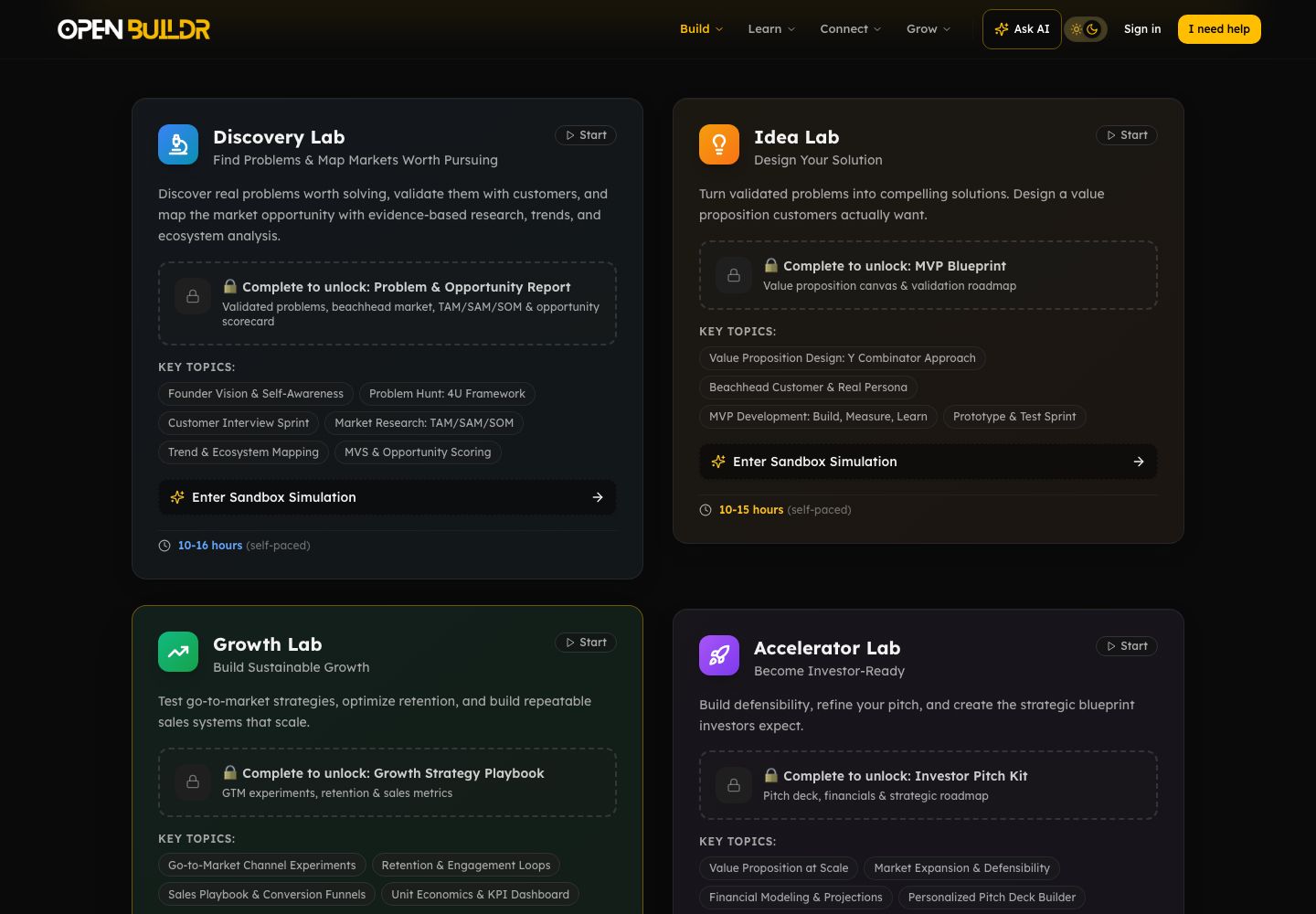
Current product view, captured September 2026.
Start with a question
- Write the uncertainty that matters most this week.
- Take the founder assessment if your starting stage is unclear. You can review its recommendation and choose another stage.
- Open one relevant Lab or tool. Begin with what you know; label estimates and assumptions.
- Do the real-world action the work calls for, then record what happened in your founder portal.
What happens next
Keep the output, review what it changes and choose one next action. Read Saving your work before switching devices: different parts of OpenBuilder save in different places.